 GIWATERMINAL
Getting started
GIWA Chain memecoin trading terminal
GiwaTerminal is a trading terminal for tokens on GIWA Chain. It brings GIWA launchpads into one screen, with live charts, one-click buys and sells, on-chain limit orders and automatic safety checks for every token.
GiwaTerminal currently runs on GIWA Sepolia (testnet). Trades use test ETH with no real value. Everything described here works the same way it will on mainnet.
What you can do
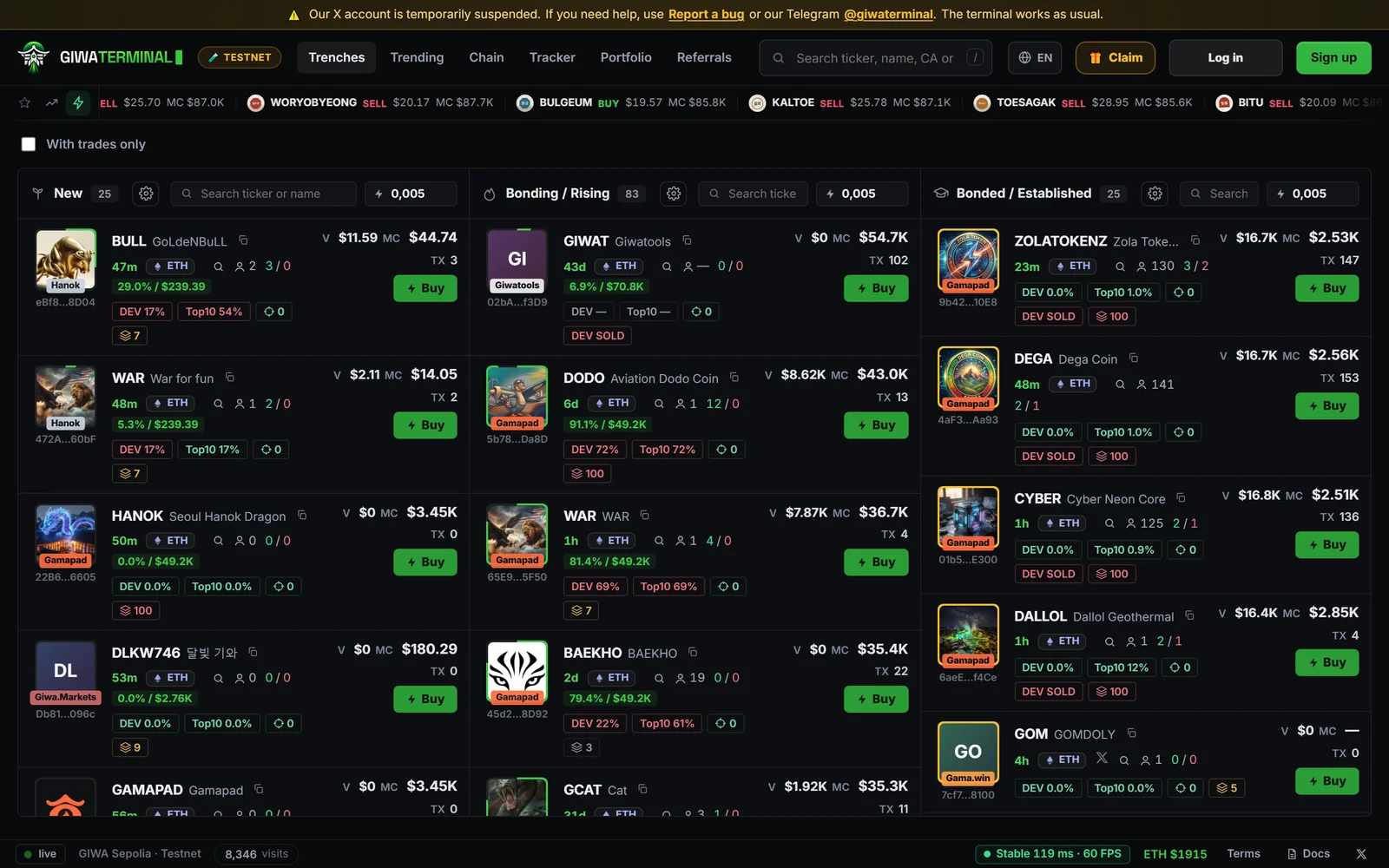
- Trenches — every new token, in three live columns: New, Bonding and Bonded.
- Trending and Chain — the most traded tokens right now, and the activity of the whole network by launchpad.
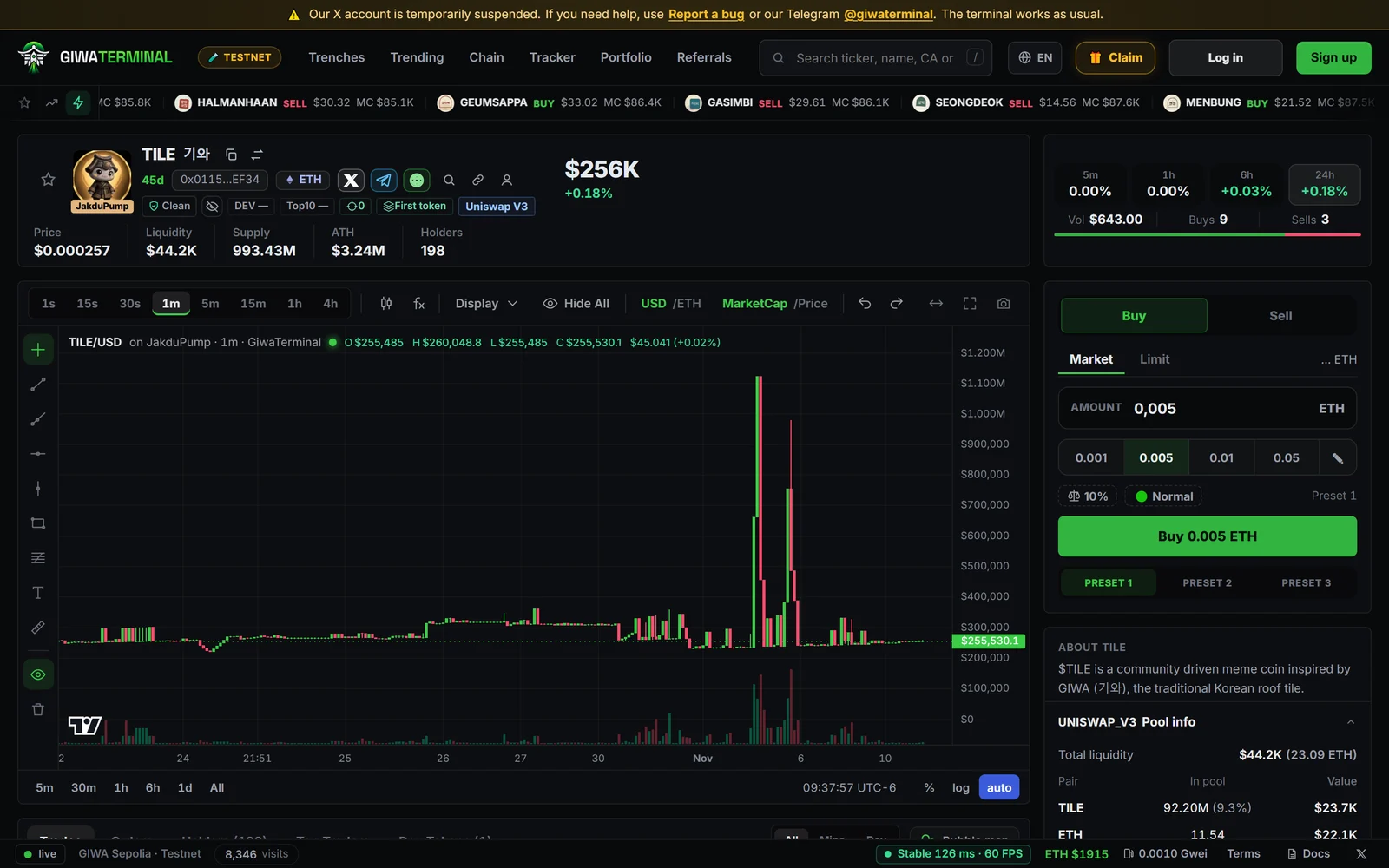
- Trade in one click — quick buys from any card, presets, slippage control and several wallets at once, with no pop-ups to confirm.
- Limit orders — take profit, stop loss and limit buys on any token. They run 24/7, even with the terminal closed, and your funds stay in your wallet until they fill.
- Token safety — an automatic audit of every contract, holder tags and a bubble map of who funded whom.
- Wallet Tracker — follow up to 100 wallets and see their trades live.
- Portfolio — your positions, realized PnL, a PnL calendar and shareable PnL cards.
- Referrals — earn part of the fees paid by the people you invite.
- Ten languages: English, 한국어, 中文, 日本語, Español, Русский, Türkçe, Tiếng Việt, Português and Bahasa Indonesia.
How it works in one minute
- You log in with a browser wallet (MetaMask, Phantom, Rabby, OKX…) or with Telegram. That only identifies you.
- You trade with terminal wallets inside your account, created or imported. Your browser signs each trade, so buys and sells go out in one click.
- Private keys are encrypted in your browser before they're synced, so we never see them.
- Each trade goes straight to GIWA Chain — through our router for tokens in a pool, or to the launchpad's own contract for tokens on a curve.
- Every buy and sell pays a 1% fee, charged in the same transaction as the trade. Everything about fees is on Fees.
- Our server indexes the chain (tokens, trades, holders), shows it to you and keeps your account data encrypted. It can't move your funds: its order keeper can only execute the orders you signed, within the limits you signed.
Supported launchpads
Supported launchpads appear as filter chips in Trenches. Tokens from launchpads that aren't listed by name, such as ones we haven't identified yet, are shown as Unknown and can still be traded. New tokens show up seconds after they're created.
Where to start
Create your account → Fund your wallet → Buy and sell. Before trading, read Risks.