 GIWATERMINAL
On this page
The three columnsLaunchpadsReading a cardFiltersHiding tokensAlertsSearchCopied CA quick buy (desktop)New GIWA Chain tokens: Trenches and filters
The three columns
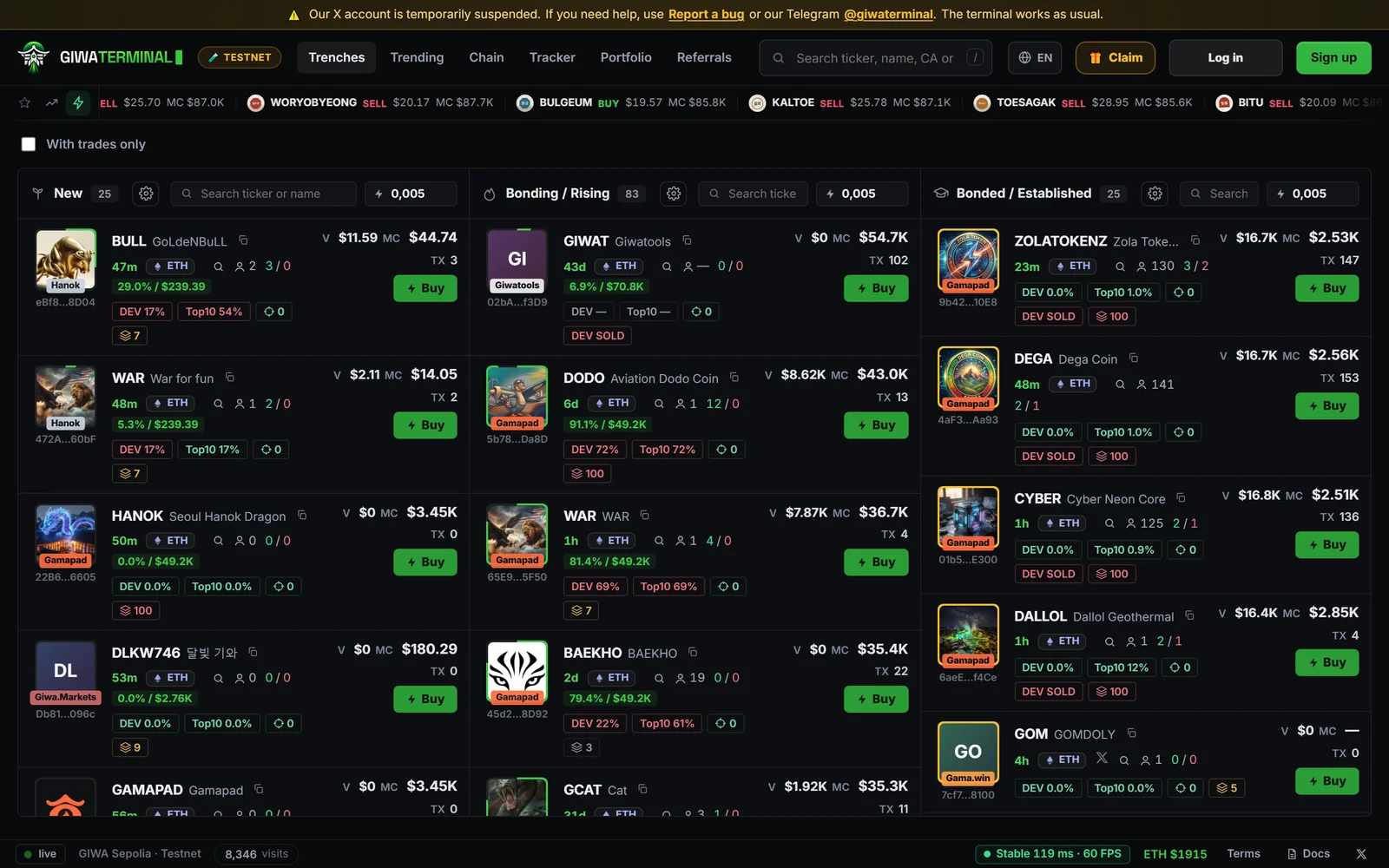
- New — tokens just created.
- Bonding — tokens filling their launchpad's bonding curve.
- Bonded — tokens that completed the curve and moved to a pool.
Launchpads
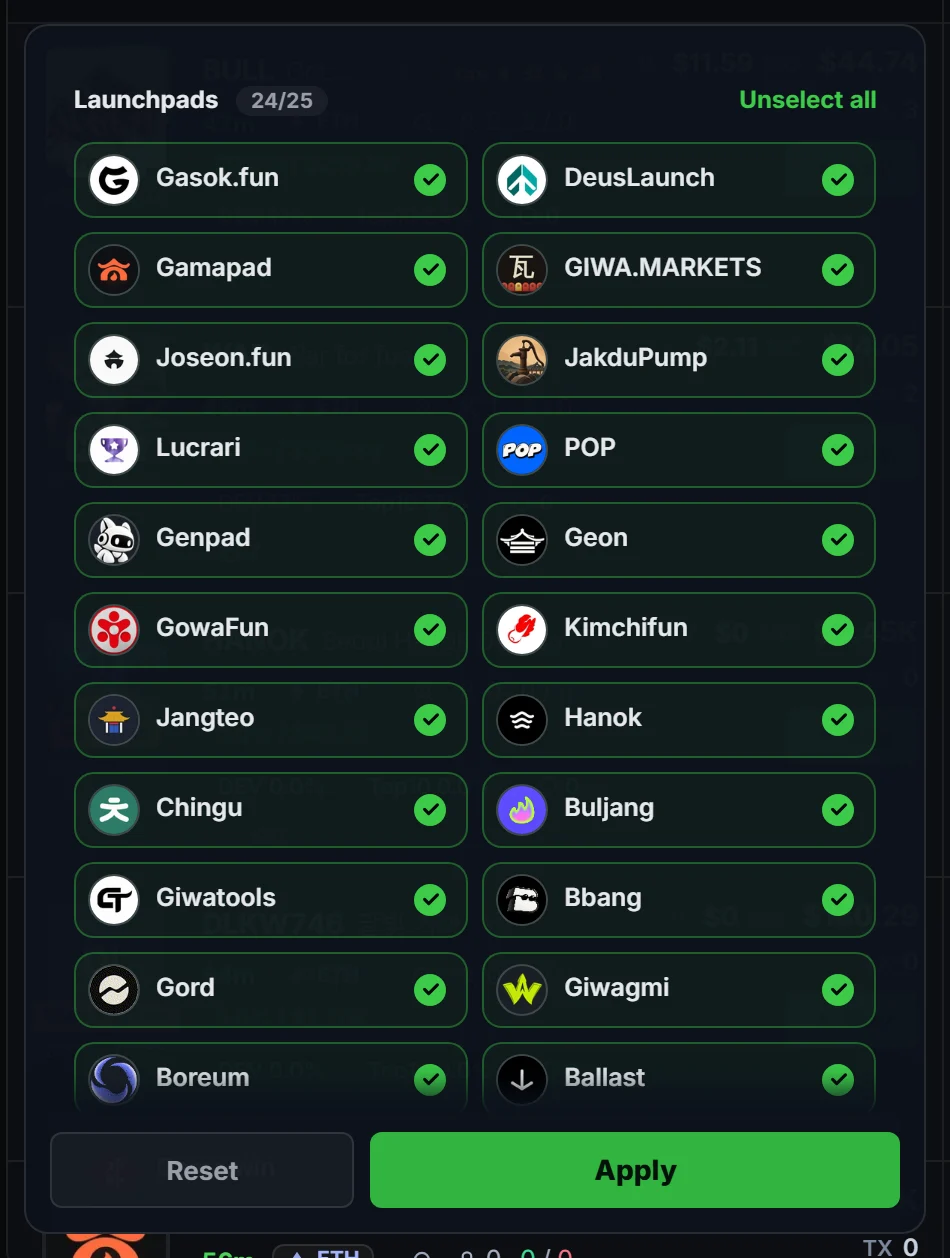
Each supported launchpad appears as a filter chip, so you can show or hide its tokens. Tokens from launchpads that aren't listed by name, such as ones we haven't identified yet, appear as Unknown. They're indexed and can be traded like any other token.
Reading a card
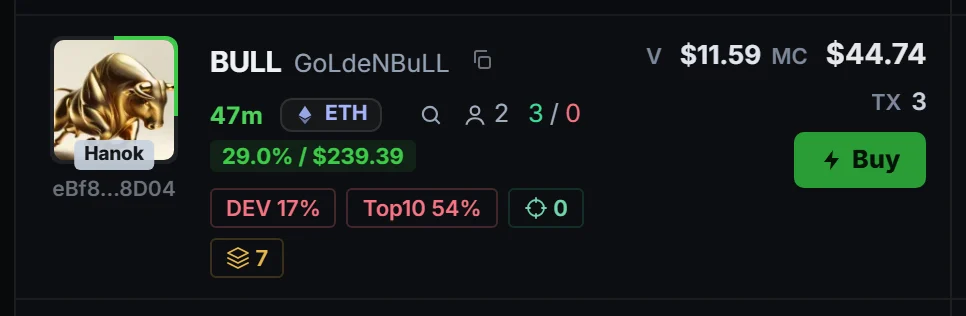
Each card shows the age, market cap, volume, trades, holders, the share held by the dev and by the top 10 holders, snipers and bundles, and a tag when the dev has sold. On desktop, hovering a token's photo shows it larger, with a chart of its last hour, its market cap and its change.
Filters
The ⚙ button on each column opens its filters, grouped in sections: Name (words to include or exclude), Quote token (ETH, USDC, KRW or stock tokens), Market (market cap, 24h volume, trades, buys, sells, holders), Age and curve, Audit (dev and top-10 share, snipers, bundles, dev launches, tax, and hide tokens whose dev sold) and Socials, plus the launchpads. The Bonding column shows up to 100 tokens: scroll to see them all.
Hiding tokens
Hover a token's photo (on phones, long-press the card) to hide the token, blacklist its dev (every token that wallet launches) or blacklist its X account. Hidden tokens leave the columns, Trending and the live feed. Undo it right away from the notice, or later in Settings › Hidden. With an account, your lists sync across your devices.
Alerts
Each column can play a sound and show a browser notification when a new token that passes its filters appears.
Search
The search box finds tokens by ticker, name or contract address. Results open in a panel: sort them by relevance, newest, oldest, market cap, liquidity or volume, filter by launchpad with the chips at the bottom, and see a preview of the highlighted token (market cap, liquidity, 24h volume, holders, ATH, age, buys and sells) before opening it. ↑ ↓ move through the results, Enter opens one, and clicking anywhere outside closes the panel. Pasting a token address opens the token directly. On phones the search opens full screen, and the Paste (📋) button inside does the same.
Copied CA quick buy (desktop)
Copy a token address anywhere and come back to GiwaTerminal: a pill appears at the top with the token and a ⚡ quick buy button. Click the token to open it.
- The browser asks once for permission to read the clipboard. GiwaTerminal only looks for a token address (
0x…); nothing else is read or saved. - Turn it off in Settings › Copied CA quick buy.
- If you blocked it, re-enable Clipboard in the site settings (🔒 next to the address).